
Description:
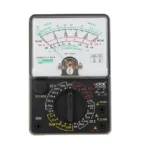
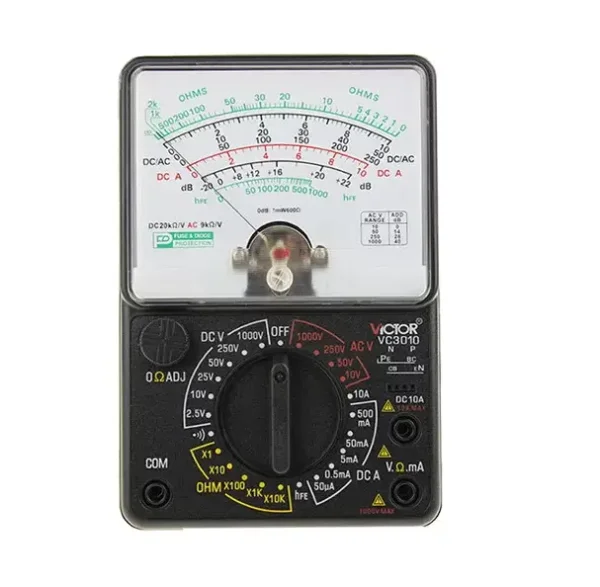
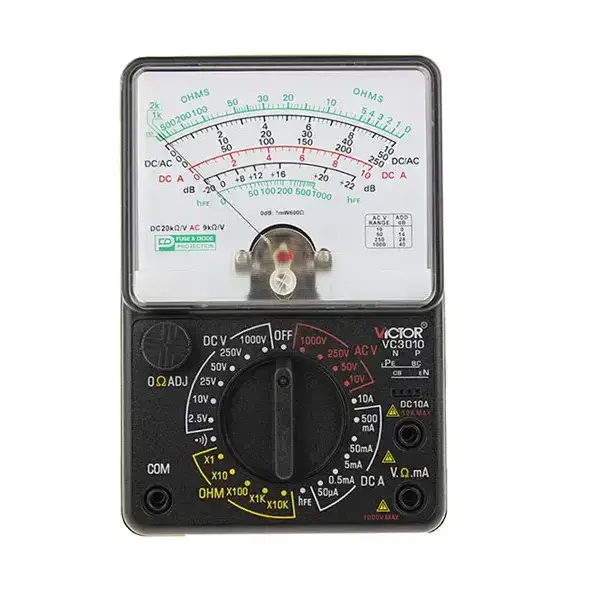
The Victor 3010 is a portable, manual-range analog multimeter used by electricians, hobbyists, and professionals for a wide range of electrical tests.
Key features:
-
- Measurement functions: The multimeter includes 24 manual ranges for measuring:
-
- DC Voltage (DCV) up to 1000V
- AC Voltage (ACV) up to 1000V
- DC Current (DCA) up to 10A
- Resistance (
Ωcap omega
Ω
) up to 200M
Ωcap omegaΩ
- Audio level (dB)
-
- Specialized tests: It offers specific functions for testing electronic components:
-
- Diode test: Checks the functionality of diodes.
- Triode (hFE) test: Measures the forward gain of NPN or PNP transistors.
- Battery test: Verifies the condition of batteries.
- Continuity buzzer: Provides an audible signal for testing continuity in a circuit.
-
- Safety and durability: The Victor 3010 is built to withstand demanding work environments.
-
- CAT III 600V safety standard: Ensures user protection during high-voltage measurements.
- Shock and circuit protection: A taut-band meter and fuse protect the device from damage caused by drops or voltage overloads up to 230V.
-
- Design and interface: The manual-range operation gives the user full control over settings.
-
- Oversized analog display: Features multiple scales with clear markings for AC and DC voltage, resistance (in green), and dB.
- Stand: A built-in rear bracket allows for hands-free operation.
-
- Power source: Operates on two 1.5V AAA batteries and one 9V (6F22) battery.
- Measurement functions: The multimeter includes 24 manual ranges for measuring:

How to use the Victor 3010 :
Before taking a measurement:
-
- Install batteries: Open the rear cover and insert the two AAA batteries and the 9V battery.
- Adjust meter zero: Turn the mechanical zero adjuster dial, which is often a screw near the needle, until the pointer perfectly aligns with the zero position on the scale.
- Calibrate for resistance: For resistance measurements, short the test leads together and turn the “Zero Ohm” knob until the needle aligns with the “0” mark on the ohms scale.
To measure DC voltage:
-
- Select range: Turn the selector knob to a DCV setting that is higher than the expected voltage. If the voltage is unknown, start with the highest range (1000V).
- Connect probes: Connect the black probe to the negative terminal and the red probe to the positive terminal of the circuit.
- Read the scale: Read the measurement from the DC/AC scale on the oversized display, using the numbers that correspond to your chosen range.
To measure DC current:
- Connect probes: Connect the black probe to the “Common” (COM) port and the red probe to the positive port.
- Select range: Turn the knob to the appropriate DCA range. For measurements up to 10 amps, use the standard input. For higher currents, use the dedicated 10A input.
- Connect to circuit: Connect the multimeter in series with the circuit you are testing.
- Read the scale: Read the current value from the scale that corresponds to your chosen range



Reviews
There are no reviews yet.