
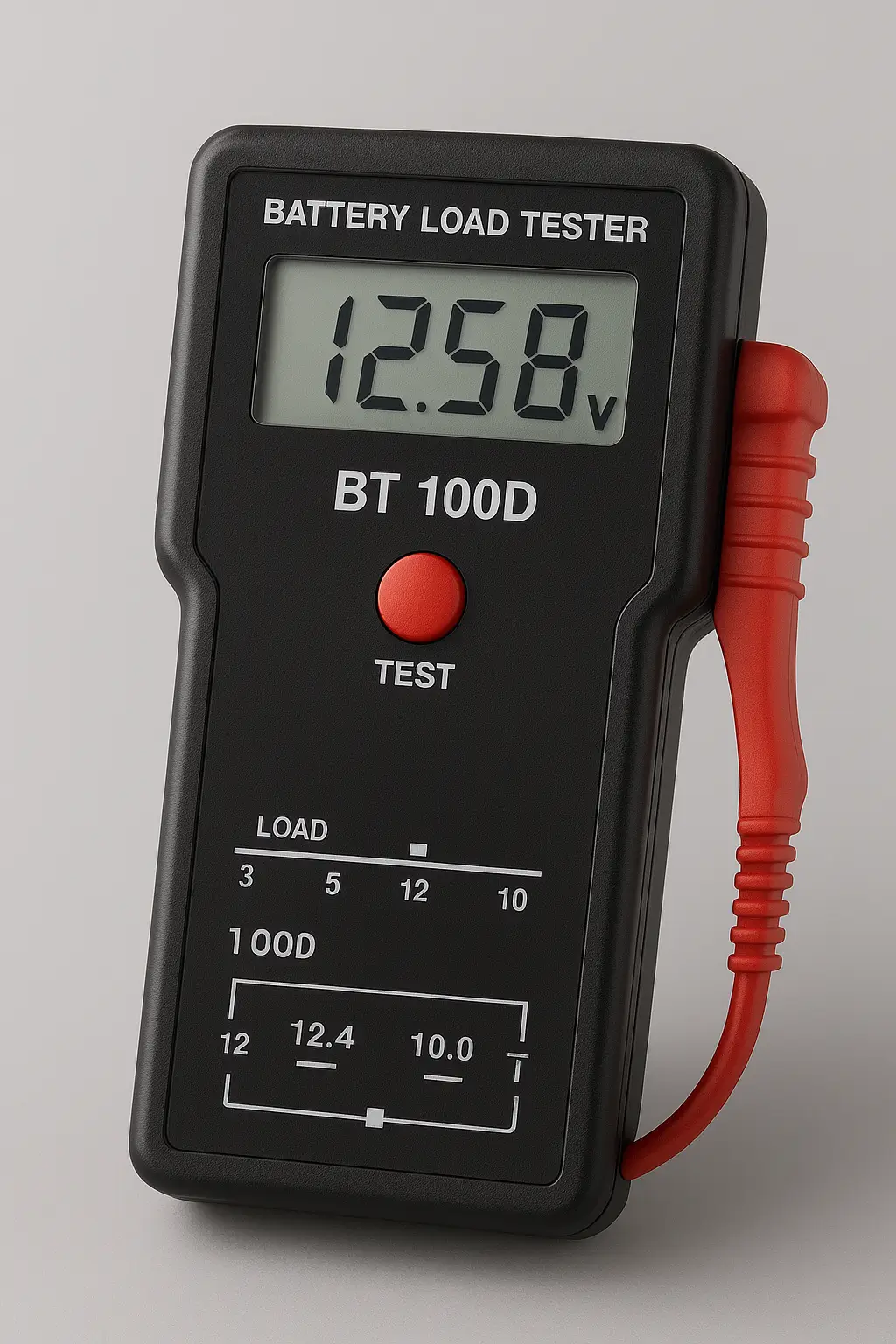
Description:
The BT-100D 100+ Amp Digital Battery Load Tester is microprocessor controlled. It makes for an easy and accurate load test with no need to time yourself to get accurate results. Bright, LED Digital Display indicates both voltage and test results. A unique 3-Step Design provides LED polarity check function, battery load test and charging system test readout. Automatically Turns Off the Load after 10 seconds and locks the voltage. Super-Grip Battery Clamps are heavy-duty and color-coded. Baked Enamel, Steel Case to keep cool. Rubber Insulated Carrying Handle–for comfort and safety. Checks both Battery and Charging System.
Specification:
| Weight | 0.7 kg |
|---|---|
| Dimensions | 15 × 8 × 6 cm |
12 Volt Battery Analysis
Press “START TEST” & wait for 10 seconds.
Once automatic test cycle is completed, your test results will be:
1. GREEN LIGHT = OK):
Battery capacity is good. May or may not be fully charged.
Determine state of charge by checking specific gravity (use hydrometer). If gravity is less than full charge, check for possible charging system trouble or electrical drain. Recharge battery to fully charged level.
2. GREEN + YELLOW LIGHT = OK BUT WEAK):
Review the load test result with the comparison chart on the tester cover to see if this battery is “OK” or not. If it is “OK”, go up to 1ST “OK” state. If it is not, go down to 3rd “WEAK” state.
3. YELLOW LIGHT = WEAK):
Battery capacity is unsatisfactory. Battery may be either: (1) defective or (2) partially discharged. To determine which, check specific gravity. When gravity is over 1.225, the battery is considered defective. On the other hand, if gravity falls below 1.225, recharge the battery and test it again. A variation of more than 0.025 (25 points) in cell-to-cell gravity usually indicates cell trouble. Finally, when charging fails to bring gravity to a fully charged level, the battery is either sulfated or has lost active material.
4. RED LIGHT = BAD):
Battery may be defective (e.g. a bad cell).
NOTE: If pre-test battery voltage is below 12.3V, tester will not allow and should not perform the load test. Please fully charge battery and retest.




Reviews
There are no reviews yet.